CLEARSPACE / LOCAL DISK PLANNING
Find what’s taking up space.
A full drive does not make every large file safe to remove. Clearspace scans a selected Windows drive or folder, shows totals and file details, lets you mark Keep or Review, then exports a private plan without moving or deleting files.
Windows 11 x64 · 20 MB download. Read the release notes and checksums.
A plan before a change
A large file may be one you need. Clearspace lets you inspect it and mark it Keep or Review later. When you’re ready to make a change, open the folder in Windows.
The application does not delete or move files. Reviewable allocation is not a promise of recoverable space. Application-managed files, shared hard links, cloud placeholders and unknown coverage need different treatment.
What runs where
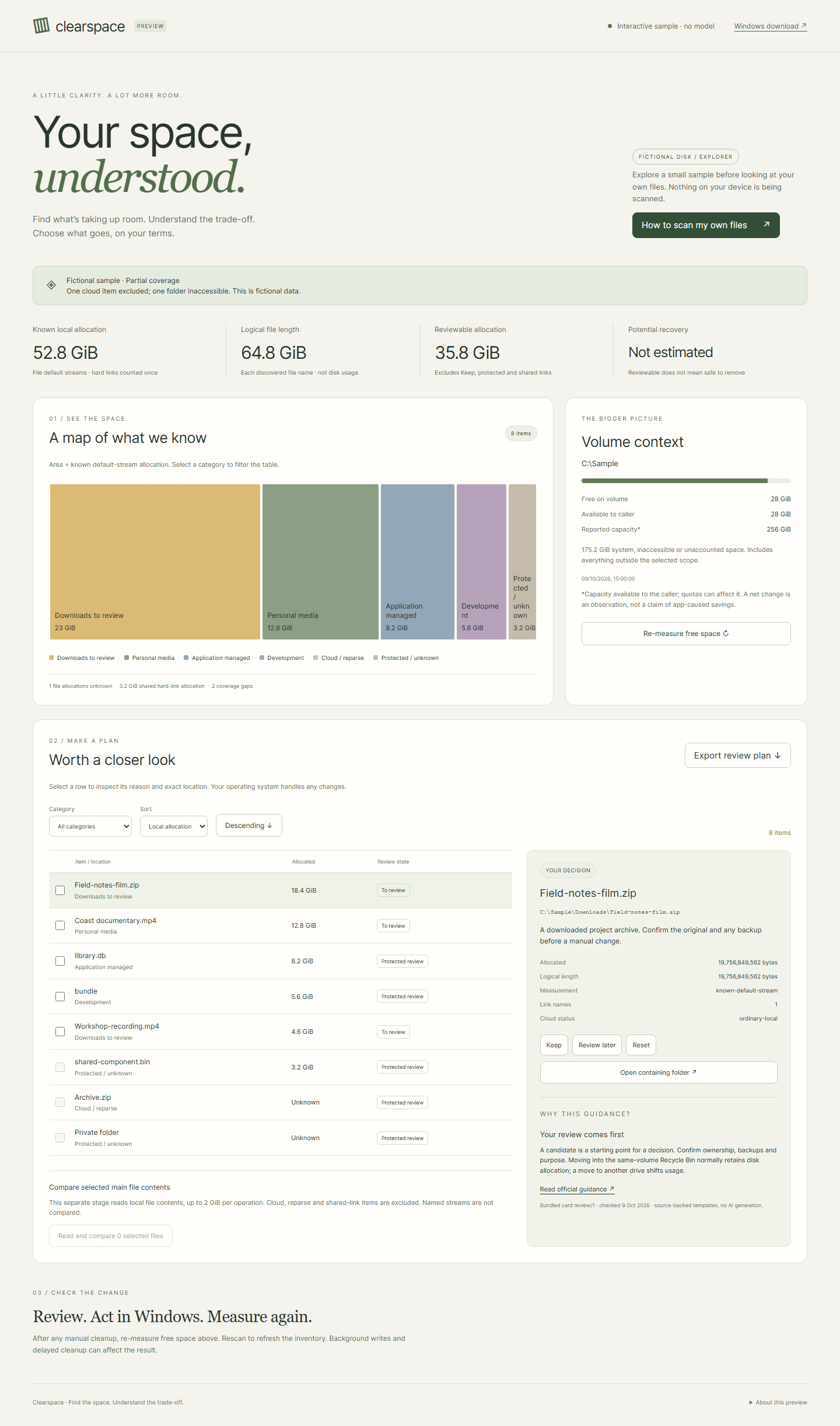
In this browser: a disk explorer with categories, a table, review choices and a sample export. It does not scan your drive, contact localhost or run an AI model.
On Windows: a Python application with a React interface and bounded SQLite inventory. It starts with your empty or saved inventory; fictional data is an explicit sample action. Choose a drive or folder, then start a metadata scan. Inspect progress, cancel, drill into folder totals and file details, mark review choices, export a private plan and remeasure. Python and Node do not need to be installed separately.
File-content comparison is a separate, explicit action on selected eligible files. It reads their main data streams; named streams are not compared.
What the space totals include
Logical file length and known disk allocation are different measures. Shared hard-link allocation counts once. Cloud and reparse exclusions, access gaps and unsupported allocation stay visible instead of being filled with estimates.
A timestamped free-space measurement shows the net change on a volume. Background writes, delayed cleanup and activity outside the selected folder can affect it, so it is not presented as savings caused by Clearspace.
Built for careful review
I tested the Windows package with a synthetic folder: starting a scan, opening nested folders, inspecting files and cancelling midway. The checks also cover export, comparing selected files, measuring space again and keeping review choices after a restart. Test results and package checksums are in the release notes.
Try Clearspace
- Explore the workspace. Select a file, inspect its explanation and mark it Keep.
- For your own files, download the Windows ZIP above and choose Extract All. Keep the entire extracted folder together.
- Open Clearspace.exe, select a small folder you understand and review the scan. No administrator account is required for the core workflow.
- Export only if needed. Real exports contain private file paths, so review them before sharing. Quit using the launcher when finished.
The package is unsigned. Windows may warn or block it; do not disable Windows protections to run it. A checksum checks the downloaded bytes, not the safety of the application. Updates are manual through the release page.
Product design and decisions by Saran; implementation built with Codex. Inspect the tested source and the release’s validation evidence.