FIELD RELAY / ENGINEERING LAB
Find the orders that need a second look.
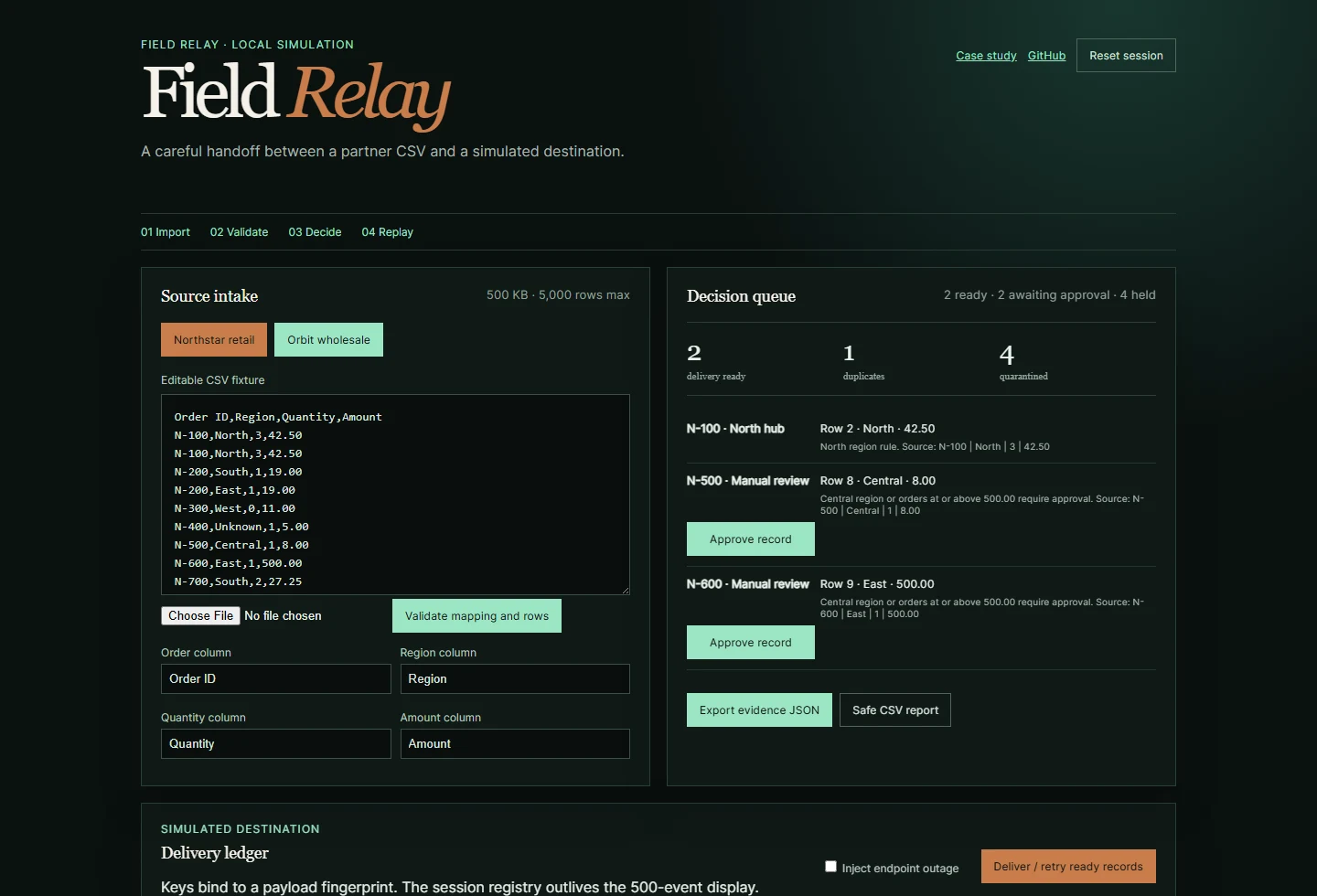
Two spreadsheets disagree about an order. Some rows repeat, and a delivery can fail halfway through the day. I built Field Relay to make those awkward cases visible before anyone acts.
01 / THE PROBLEM
When the spreadsheets disagree.
Two partners send orders using different column names. Some rows are incomplete; others conflict. Counting imported rows would miss the cases that still need a person to check them.
I wanted to follow an order from its original spreadsheet row to its result, including what happened when delivery failed.
02 / HOW IT FITS TOGETHER
From spreadsheet to delivery.
- CSV adapterMatch each partner’s columns and keep the original rows.
- Validation & groupingCheck the required fields, amounts, quantities and duplicate order IDs.
- Routing & reviewExplain the destination and require approval where a rule needs one.
- Delivery registryRemember the exact order first sent and whether it arrived.
- Evidence exportSave the review decisions and delivery history to a file.
I kept the order-processing work separate from the screen so I could test the awkward cases directly. The workbench runs as a static Astro app on Jugaad.
03 / PRODUCT AND ENGINEERING CHOICES
Keep the doubtful rows visible.
Show every conflicting version.
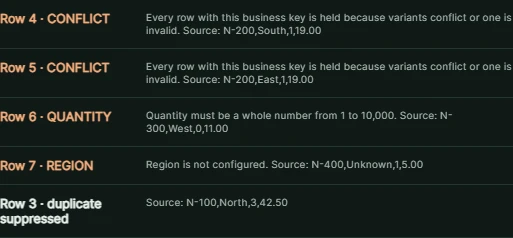
When two rows disagree about the same partner and order, both go to review. The original rows stay visible so a person can compare them. It means more visible review work, but the app never has to guess which conflicting value the partner intended.
An edited order needs a fresh approval.
Central-region and high-value orders need someone to approve them. Changing an approved order sends it back for review.
Remember which orders already arrived.
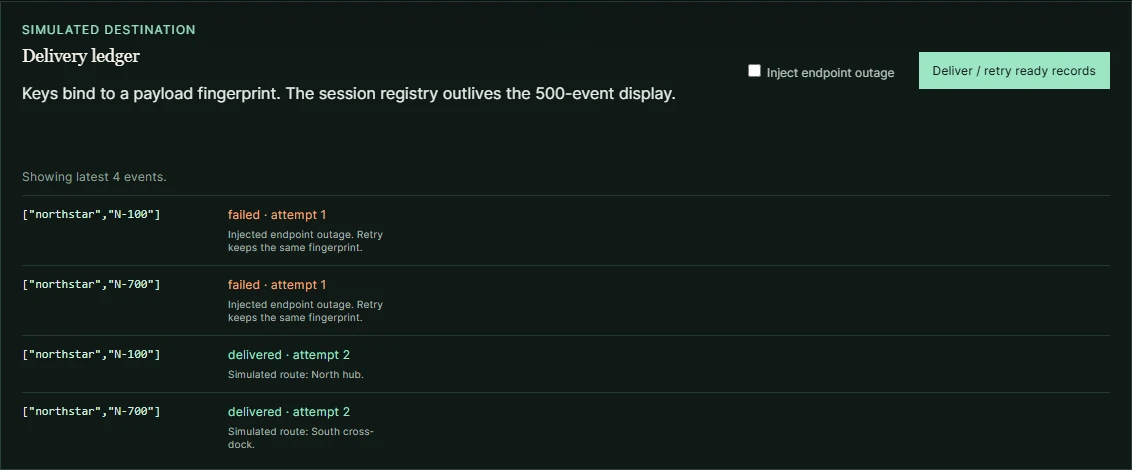
The app keeps a record of successful deliveries separately from the on-screen activity list. Clearing old activity must never send an order twice.
04 / TRY THE FAILURE PATH
Break it, then recover it.
- Load one of the made-up partner files. Open an order held for review and compare its source rows.
- Turn on the outage and try to send the orders. The activity list records the failure.
- Restore the destination and retry the failed orders.
- Try sending again: orders already delivered are skipped. Change a previously attempted order to see it held for review.
The repository includes tests for those cases and documents the delivery flow.
05 / THE VERSION YOU CAN USE
What this version handles
The workbench reads two partner formats, lets you match columns, checks malformed rows, spots duplicates and holds conflicts for review. You can approve orders, simulate an outage, retry delivery and download the history.
Your data stays in the browser session and clears on reset or refresh.
Read the architecture in the repository ↗IN PRACTICE
Uses and technology.
Where it can help
- Compare fictional partner exports with different column names.
- Inspect duplicate and conflicting orders before approving delivery.
- Simulate an outage, retry and inspect what was already sent.
Built with
 Astro
Astro React
React TypeScript
 Vitest
 Playwright
- Astro / React
- Static page and one browser workbench.
- TypeScript
- CSV parsing, validation, routing and delivery rules.
- Vitest / Playwright
- Deterministic rule and browser checks.
State stays in browser memory. The workbench accepts up to 500 KB / 5,000 CSV rows and keeps a 500-event activity ledger. Delivery scenarios use fictional orders.