HEADSCROLL / WINDOWS PREVIEW
Scroll by tilting your head.
I built HeadScroll, a Windows app that uses your webcam to turn small head movements into scrolling. Chin up moves down the page, chin down moves back up, and looking straight ahead stops it. Camera processing stays on your computer.
Source code and setup instructions are on GitHub. The ZIP contains the screenshot and test notes.
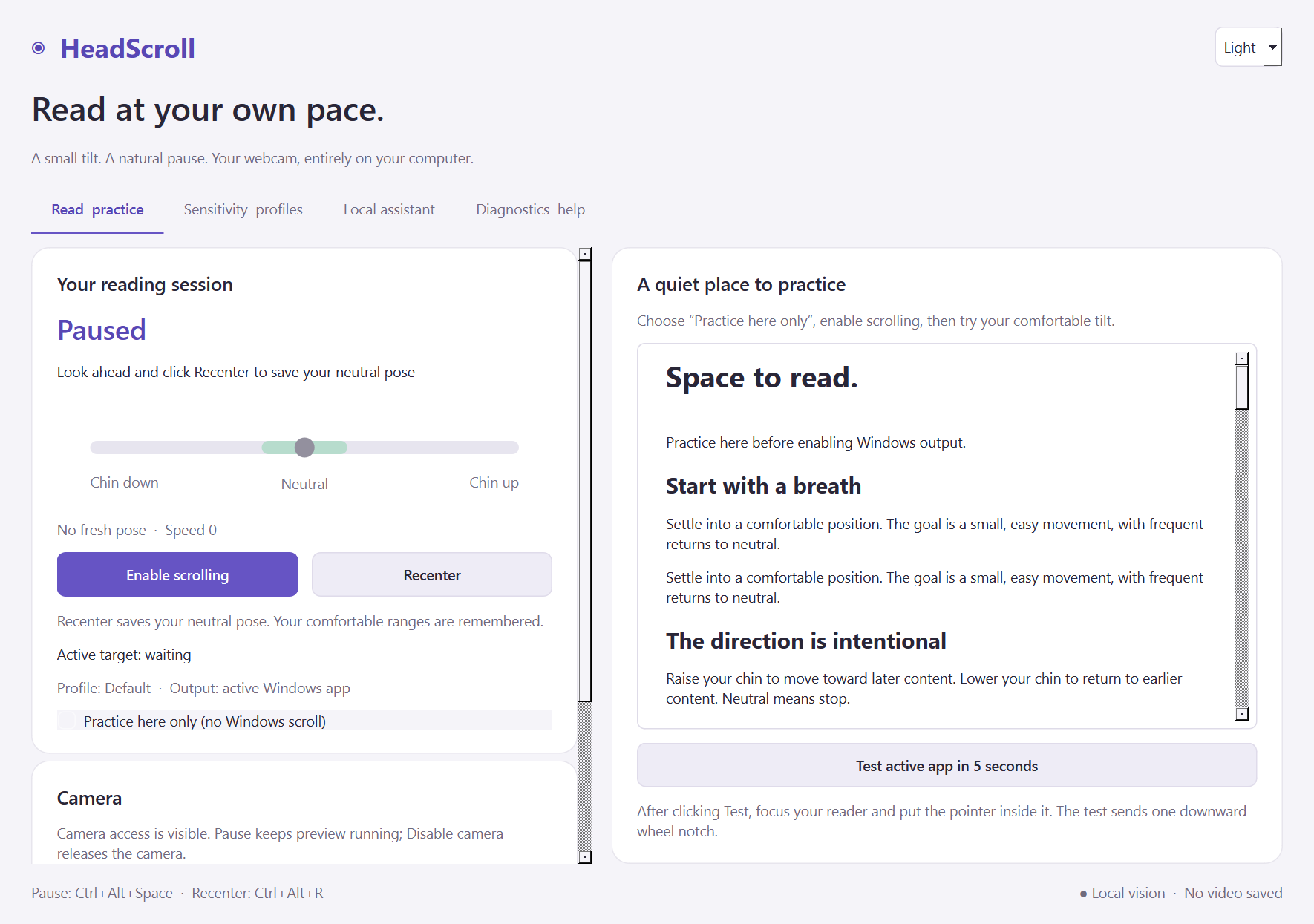
Keeping the setup between sessions
The first version forgot its calibration when it closed. That meant going through setup again just to carry on reading. I changed it so clicking Recenter saves the position you’re sitting in without resetting your comfortable tilt range.
Each camera keeps its own saved position. Switch back to one you’ve used before and the app restores it; a new camera needs one Recenter. The guided wizard is still there if you want to adjust your range.
Settings, window layout and your place in the practice reader are saved too. After a restart or crash, the app picks up the last completed save. It stores settings and head-position measurements. No photos or video are kept.
Stopping the scroll
The app starts paused, with the camera off. When you enable scrolling, you first look straight ahead for a moment. Losing track of your face, switching to another app or holding a modifier key stops the current scroll. Ctrl+Alt+Space pauses it even if face tracking stops working.
I used Python and PySide6 for the Windows interface, with MediaPipe and OpenCV for face tracking. An optional local assistant, built with LangChain and Ollama, can suggest sensitivity settings for you to review, apply or undo. The scroll controls work independently of it.
What worked, and what still needs testing
During guided practice, both directions worked and returning to neutral stopped the reader. The external-reader test failed. I haven’t yet confirmed head-controlled scrolling in another app, or the direction after using the new one-click Recenter.
All 96 automated checks passed on 15 October 2026. These cover calibration saving, camera changes and an abrupt app exit, among other cases. The packaged Windows build also passed checks for the interface, diagnostics, saved settings and loading the vision model. The test report has the details.
I still need to test a clean install on another Windows computer, try more readers and measure the delay between a head movement and scrolling. It’s an unsigned prototype at this stage.