HELPERAI / ANDROID · VOICE & AI
HelperAI
A rehearsal app for interview answers, monologues and character work. Record an attempt, read its transcript and ask for feedback with your own instructions. Built with Kotlin, PCM audio, Groq Whisper and Claude.
Why I built it
An interview answer, monologue or character study needs more than a recorded clip. The useful next step is a readable transcript, context for the feedback request and a way to carry earlier exchanges into a selected session.
What it does
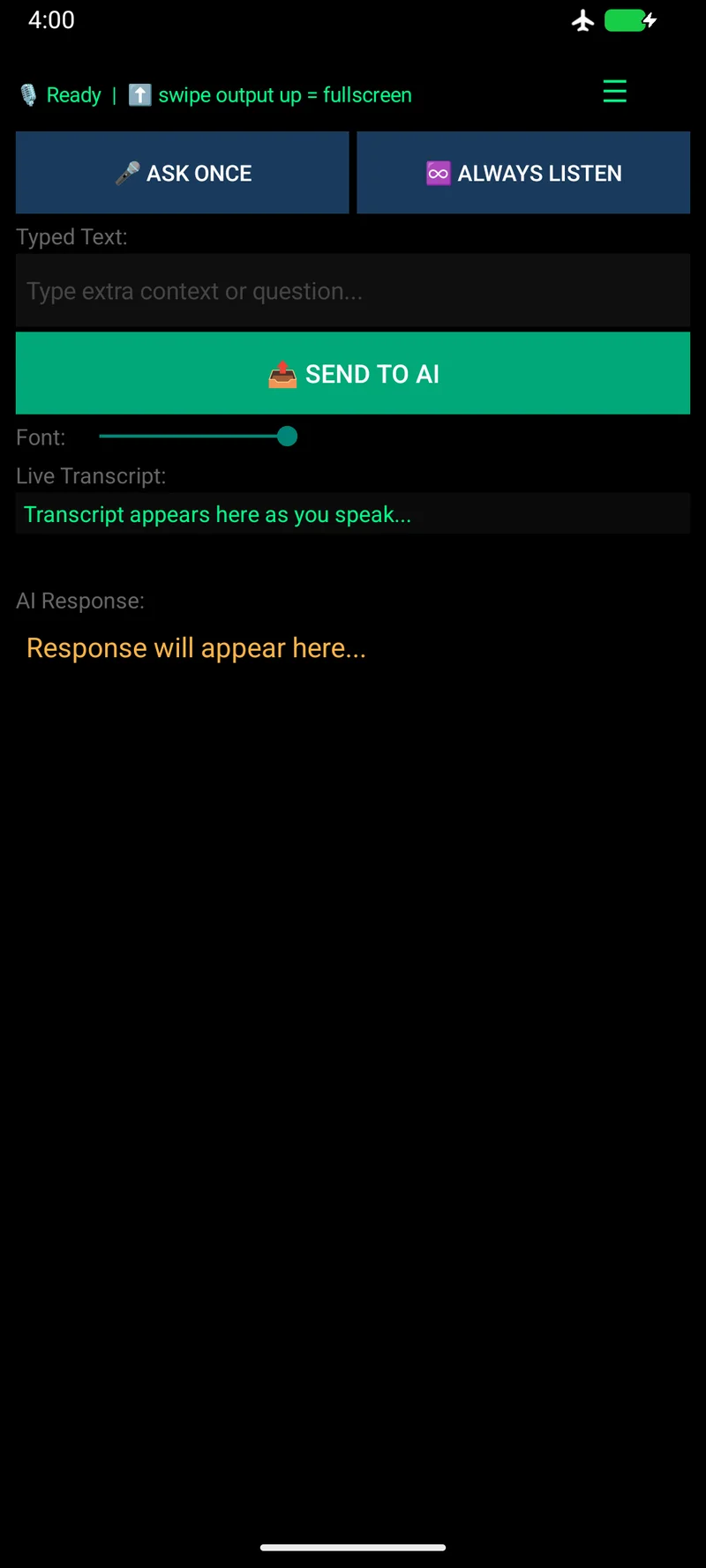
Ask Once records, transcribes and sends one clip automatically. Always Listen repeats capture and transcription until the user chooses Stop & Send. The screen then shows the transcript and streamed response, with editable instructions, type size and a configurable conversation window.
How I approached it
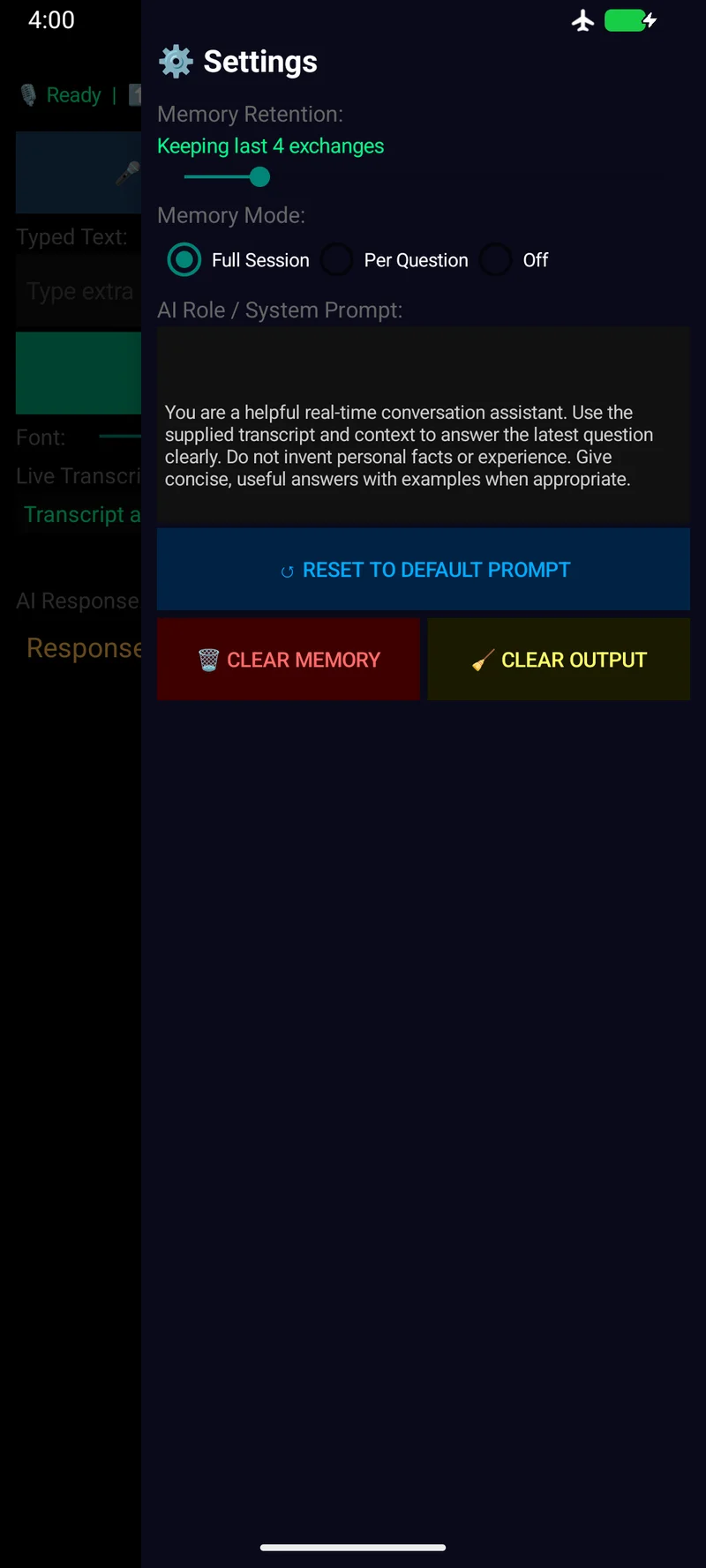
I designed the rehearsal flow with separate steps for transcription and feedback. Groq Whisper turns an eight-second audio clip into text; Claude receives that text with typed context. Full Session can include a chosen number of earlier exchanges, while the other modes send the current transcript and typed context only.
Make the attempt legible.
The transcript and response make it easier to spot a missing point, an unclear sentence or a transcription mistake before deciding what to practise next.
Let the context change with the rehearsal.
An interview answer, a monologue and a character study call for different feedback. Typed notes and editable assistant instructions carry that context instead of forcing every attempt through one fixed request.
Let Full Session retain only what helps.
Full Session can include a chosen number of earlier exchanges. Per Question and Off send the current transcript and typed context without earlier history, so a new attempt does not quietly pull in an old rehearsal.
IN PRACTICE
Uses and technology.
Where it can help
- Record one rehearsal answer and check what the transcript captured.
- Accumulate short clips before choosing Stop & Send.
- Continue a Full Session with a chosen number of earlier exchanges.
Built with
 Kotlin
 Android
- Groq Whisper
 Claude
- Kotlin / Android
- Native recording and the transcript/answer interface.
- PCM audio
- 16 kHz mono audio collected in eight-second chunks.
- Groq Whisper
- Transcription, kept separate from answering.
- Claude
- Streamed responses using selected text context and instructions.
Recording pauses while each short clip is transcribed; the transcript stays visible so a missed phrase can be spotted.