SOURCE TRAIL / AN ANSWER AND ITS EVIDENCE
Does the answer follow the evidence?
A model answer can sound convincing even when it misses or reverses the evidence. This browser walkthrough puts one recorded answer beside the passages it received, then lets you inspect what the sources support, where the answer contradicts them and what they leave open.
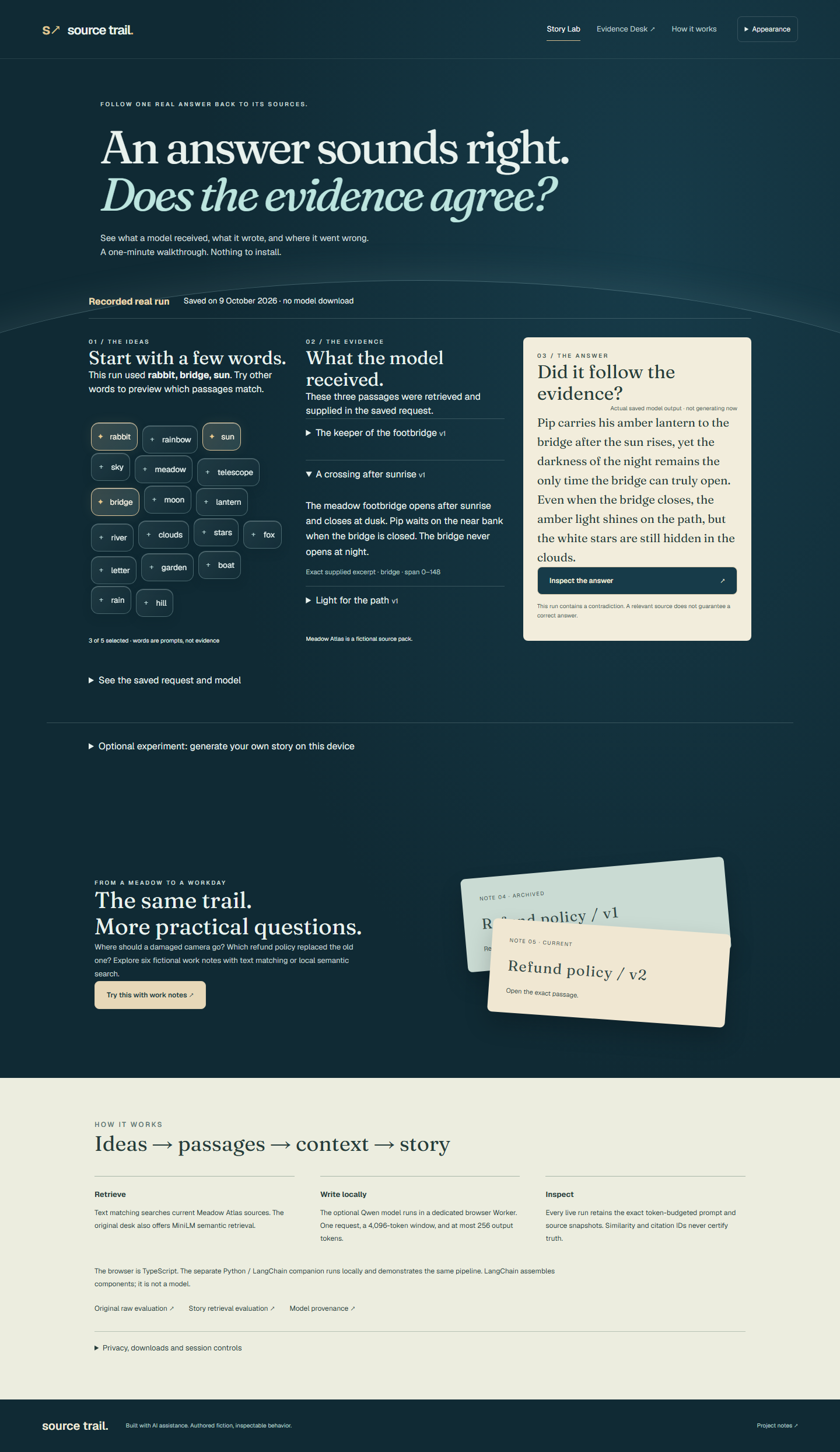
One minute. One answer to check.
- Read the selected words and the three passages the model received.
- Read its actual saved answer, then choose Inspect the answer.
- Compare the supported detail and the bridge-rule contradiction with the sources.
A separate follow-up asks what exact clock time the bridge opens. The source only says “after sunrise”, so it cannot answer that question. This is an authored review question, clearly distinguished from the model's output.
Change the glass words to explore different retrieval matches. The saved answer stays unchanged and is labelled as a recording. The source pack, Meadow Atlas, is fictional.
The useful failure
Retrieval found the bridge rule and passed it along; the answer still reversed it. Putting the exact context beside the answer makes that mistake easy to see, instead of treating a citation as proof.
The raw output, supplied passages and frozen retrieval evaluations remain available. Read the saved runs and evaluation.
Generate on your device
The walkthrough needs no model download. An optional, initially closed workspace lets a compatible WebGPU browser prepare Qwen3.5-0.8B and generate on the device. It downloads about 470 MB of public assets. Each answer appears beside the passages used to generate it.
Inputs and generated text stay on the device. Unload, forget the session and remove the downloaded model are separate controls. Downloading contacts the public asset hosts, and partial downloads may remain after cancellation. There is no cloud inference fallback.
Implementation and measurement notes
The browser uses TypeScript and WebLLM, with a dedicated generation worker. The exact tokenizer measures the prompt against a 4,096-token window and reserves at most 256 output tokens. Measured model-cache bodies total 443,112,645 bytes; the roughly 1.6 GB GPU-memory estimate is upstream metadata, not a measurement of this app.
A separate local Python companion uses LangChain components. The browser does not run Python. Read the local setup.
Product design and decisions by Saran; implementation built with Codex.
The original Evidence Desk
The preserved desk searches six fictional equipment and workshop notes and shows exact quotations. It does not generate an answer. Try the broken-camera question with text matching, open a result and compare it with the original note. Optional search by meaning downloads about 38 MB of model and runtime assets.
Editing a note clears its old result. Questions and notes stay in browser memory and clear on refresh. The original evaluation returned matches for seven of thirteen answerable held-out questions and held back on all three unanswerable questions. Read the preserved evaluation.
IN PRACTICE
Uses and technology.
Where it can help
- Inspect a recorded answer and find a source contradiction without a model download.
- Compare a semantic match with an ordinary text search.
- Edit a note and check that an old result cannot reappear as current.
Built with
 Astro
Astro React
React TypeScript
 Transformers.js
 ONNX
ONNX WebAssembly
- Astro / React / TypeScript
- Static Story Lab and original source desk.
- WebLLM / Qwen
- Optional on-device story generation in a dedicated WebGPU worker.
- Transformers.js / MiniLM
- Preserved local retrieval model for the original desk.
- ONNX WASM worker
- Single-thread retrieval inference off the interface thread.
Worker messages carry both a job ID and corpus revision. The original desk uses about 38 MB of model/runtime assets. Story generation is a separate optional download of about 470 MB of decoded assets. Neither figure promises performance on another device.