FLATHUNTER / ANDROID · FINDING A HOME
FlatHunter
A map for where to look next, not a list of vacant homes.
Why I built it
A rental search can begin before there is a reliable list of available homes. Choosing which areas to cover can turn into repeated walks, while ordinary search does not show which parts of a neighbourhood have already been reached.
What it does
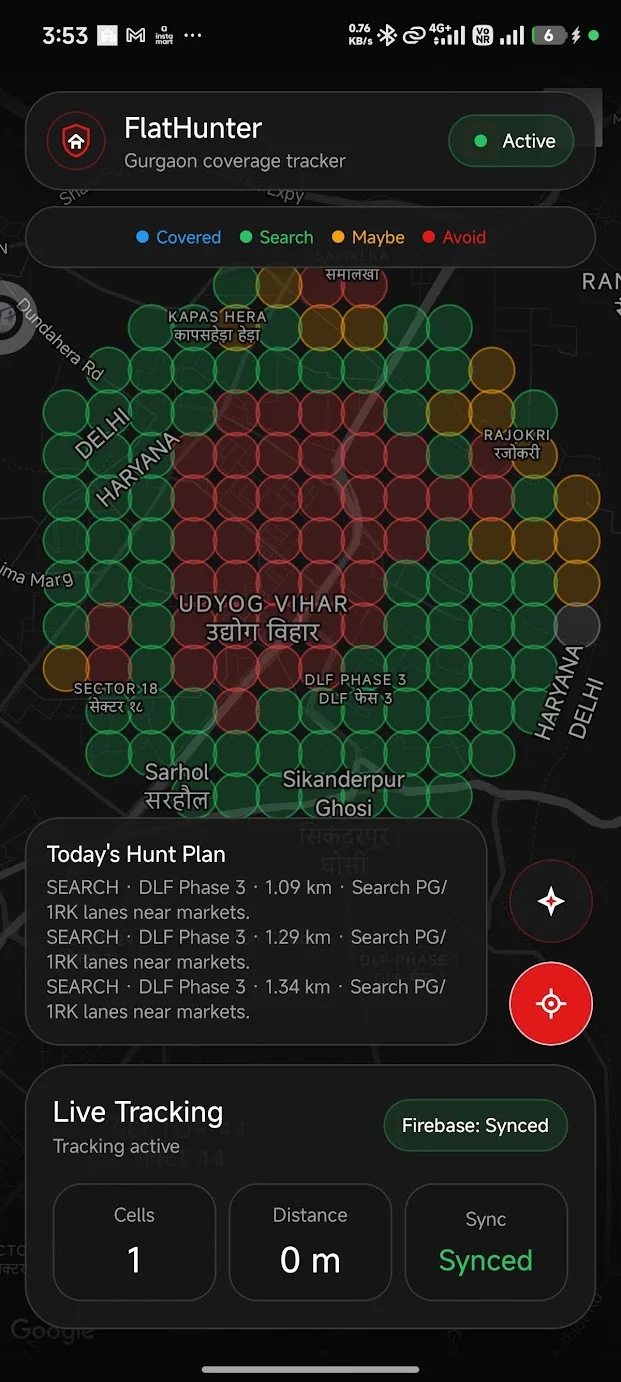
Choose a workplace, current location or searched-area anchor, set a 0.5–8 km radius and select a gated-room or independent-1RK mode. The app returns Search, Maybe, Avoid or Unknown areas and keeps a separate route and coverage history. Pasted listing text can add rent, deposit and room details to the plan.
How I approached it
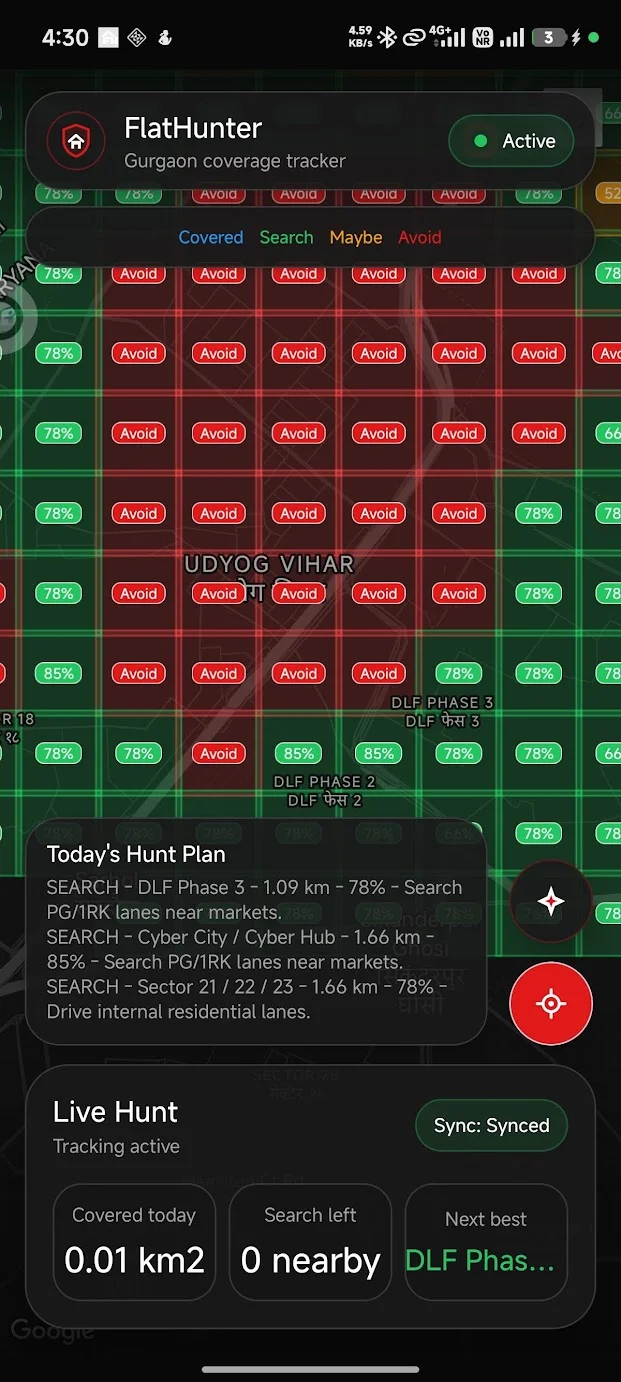
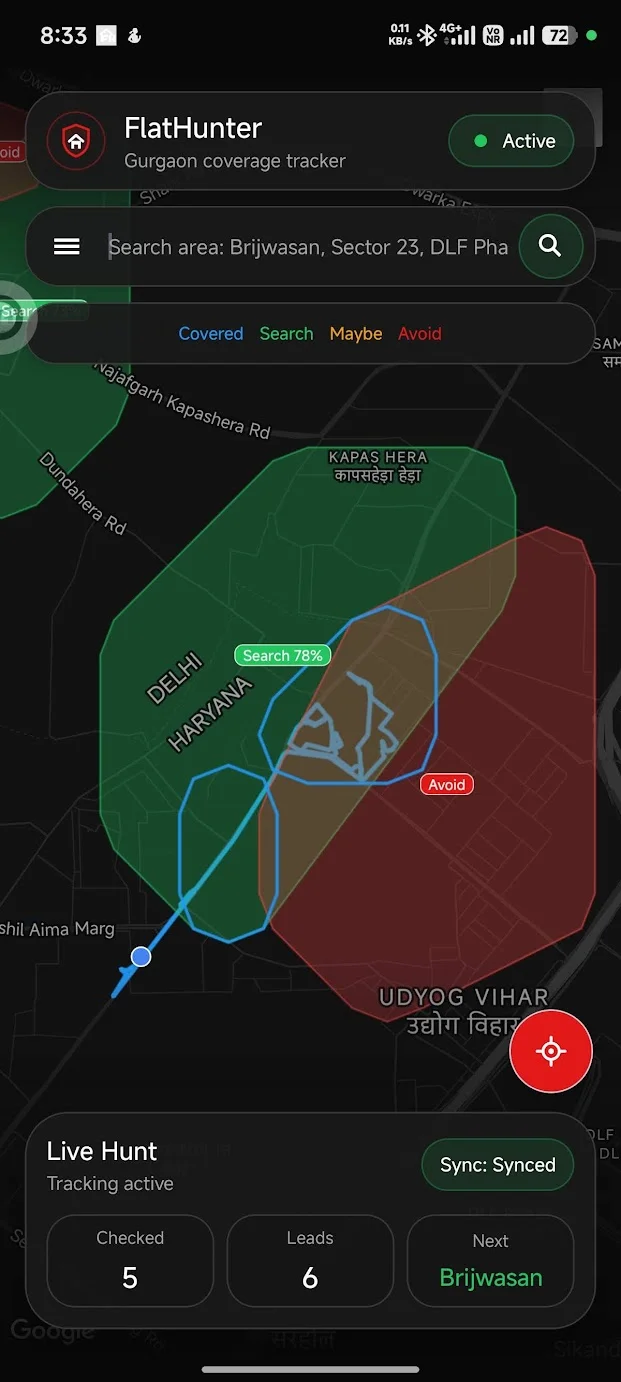
I designed the Android workflow around two questions: where to look and which ground I had already covered. A 450-metre planning grid weighs local map and manually added listing signals; a 100-metre trail records movement. A promising area is not the same thing as a property, or a street already checked.
Score areas, not streets.
A 450-metre grid combines local priors, OpenStreetMap features and manually imported listing signals. The app can add a bounded set of nearby-place signals, but those lookups still need a live field test. An area label remains a lead to inspect, not a vacant-home result.
Keep coverage separate from a score.
GPS routes and 100-metre cells remember where a search has already reached. That trail stays useful even when an area has too little evidence for a confident label.
Leave an area Unknown when there isn’t enough data.
Unknown is a real result. The prototype can narrow the next walk, but it cannot establish whether a property is available, suitable or worth renting.
HOW IT STARTED
Three clues were the beginning.
Markets, schools and gyms suggested places where people might live nearby. Overlapping their catchments was my first idea for narrowing the walk.
The app builds on this idea with a weighted grid that includes land use and other amenities.
Three clues overlaid. Their overlap narrows the search area.
IN PRACTICE
Uses and technology.
Where it can help
- Plan a rental-search walk in an unfamiliar area.
- Return to a neighbourhood without repeating the same covered ground.
- Compare Search, Maybe, Avoid and Unknown areas before choosing the next walk.
Built with
 Kotlin
 Android
 Google Maps
 OpenStreetMap
- Kotlin / Android
- Phone interface, location and local route history.
- Google Maps & Places
- Map display and nearby-place signals for the search plan.
- OpenStreetMap
- Land-use and place signals in the planning grid.
Area labels help plan a walk. Actual availability still depends on visiting the property.