TETR COMPASS / WEB · STUDENT JOURNEY & RAG
Tetr Compass
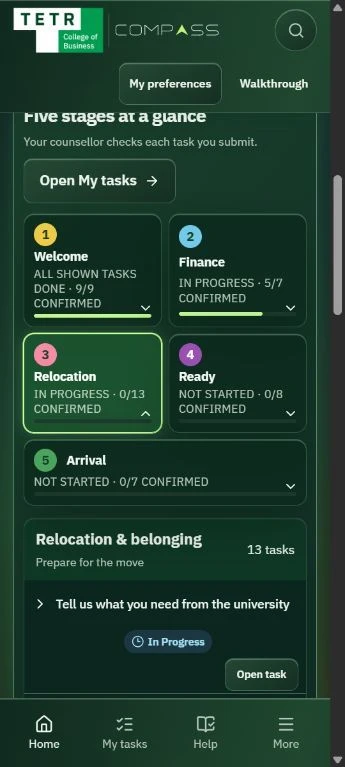
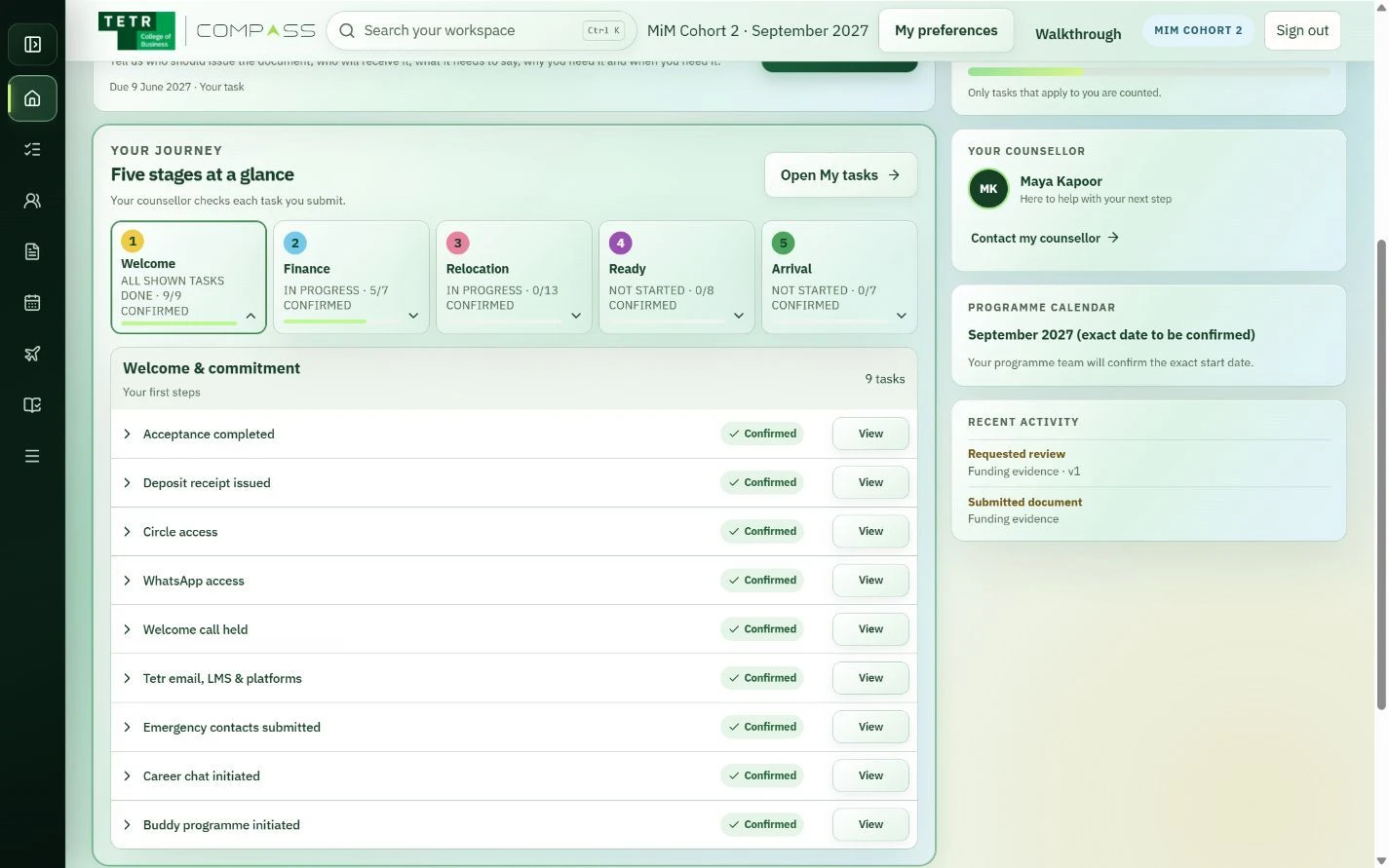
I built Compass around the admissions follow-up work I was doing: documents, deadlines and the next person to contact. The portal connects student tasks with staff review. A later LangChain RAG extension answers programme questions with cited guidance. React, TypeScript, Cloudflare, Supabase and local Ollama models.
Why I built it
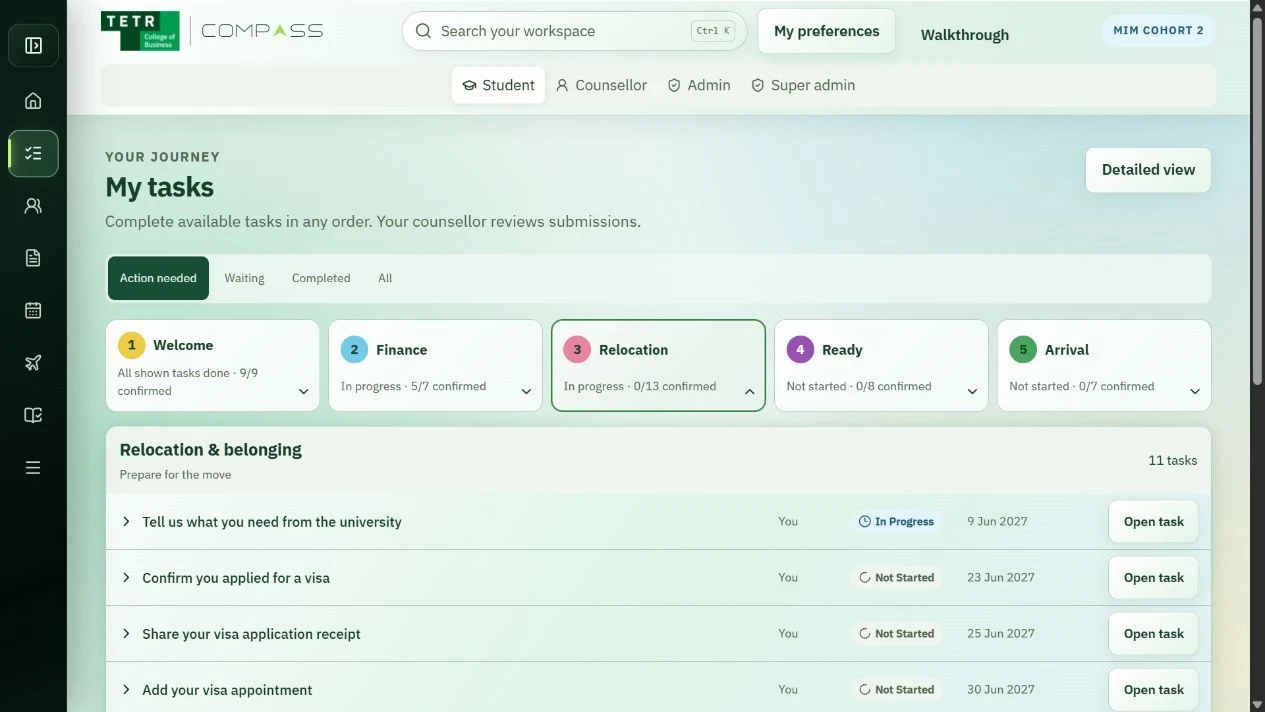
After paying a deposit, students still need help with documents, funding and arrival. I had been doing that follow-up work myself. I built Compass in two weeks to put the next task, its owner and its status in one place.
What it does
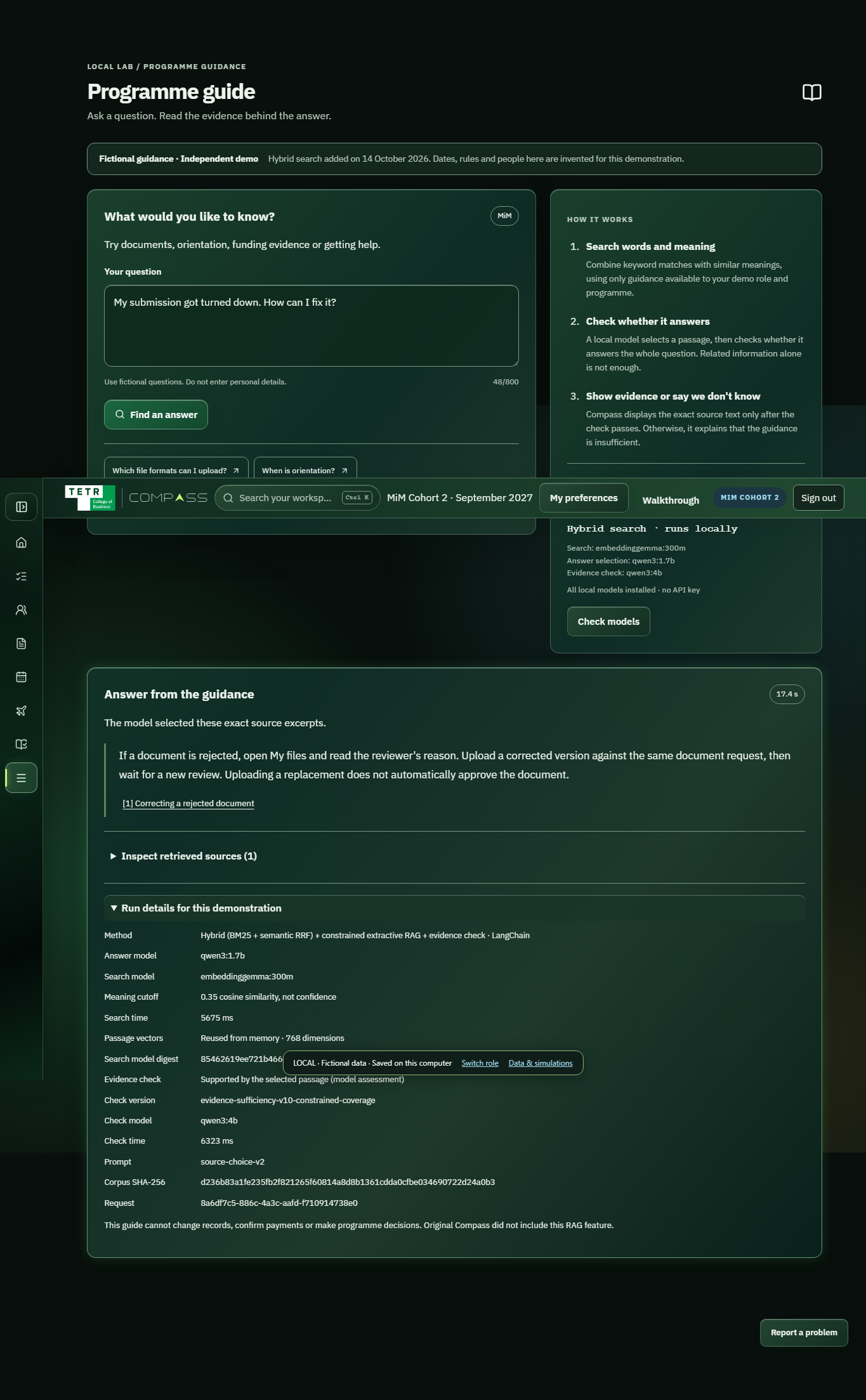
Students can see the next request and submit documents; staff can review the submission and follow up. In the RAG extension, a question brings back a cited source passage. If the guidance is missing a requested detail, the guide declines instead of filling it in.
How I approached it
The portal keeps private files in Google Shared Drive and operational records in Supabase. I later added a separate programme guide using LangChain: it searches by words and meaning, selects a passage and checks the evidence before showing an answer.
Give the journey an order.
A long checklist can make everything feel equally urgent. Stages give the student a place in the journey, while individual tasks carry the documents, instructions and deadlines needed to move forward.
Distinguish sending from being checked.
A student submitting something and a member of staff reviewing it are separate moments. I show the review status beside the submission.
Design for both sides of the follow-up.
Students need a focused next step. Staff need a way to review and follow up across students. Approved account access keeps that shared work private, and the handover package gives the next owner a way to continue it.
Answer from the guidance.
In the later RAG extension, LangChain runs retrieval, source selection and an evidence check. Programme and role filters apply before search. The first frozen 24-question run passed all 24 cases against fictional guidance; those are my own authored checks.
IN PRACTICE
Uses and technology.
Where it can help
- See the next document or arrival task after paying the deposit.
- Distinguish a submitted item from one that staff have reviewed.
- Follow up across students without exposing one person’s documents to another.
Built with
- LangChain
- Ollama
- Python
 React
React Vite
Vite TypeScript
 Cloudflare
 Supabase
 Google Drive
- LangChain / Ollama
- Retrieve, select and check guidance in the later RAG extension.
- BM25 / EmbeddingGemma
- Keyword and semantic retrieval, filtered by programme and role.
- Qwen3 / Python
- Local source selection and evidence checking; Python audits recorded evaluation results.
- React / Vite / TypeScript
- Student and staff interfaces.
- Cloudflare Pages / Workers
- Frontend delivery and protected request paths.
- Supabase
- Operational records and metadata.
- Google Shared Drive / IAM
- Private document storage and approved access.
Documents stay behind approved access. Protected responses are private and are not stored in a public cache.